Explore the product surface
Each area is designed around real database workflows: fast querying, linked data exploration, controlled access, reusable workspaces, and operational safety.

AI Assistant
Granular MCP tools permissions and column and row level database access. Progressive tool schema discovery.

Agentic workflows
Describe a data-intensive task and generate a reusable workflow you can configure and run repeatedly. Workflows combine database actions, MCP tools, files, custom inputs, and optional agent steps in editable TypeScript code.
SQL Editor
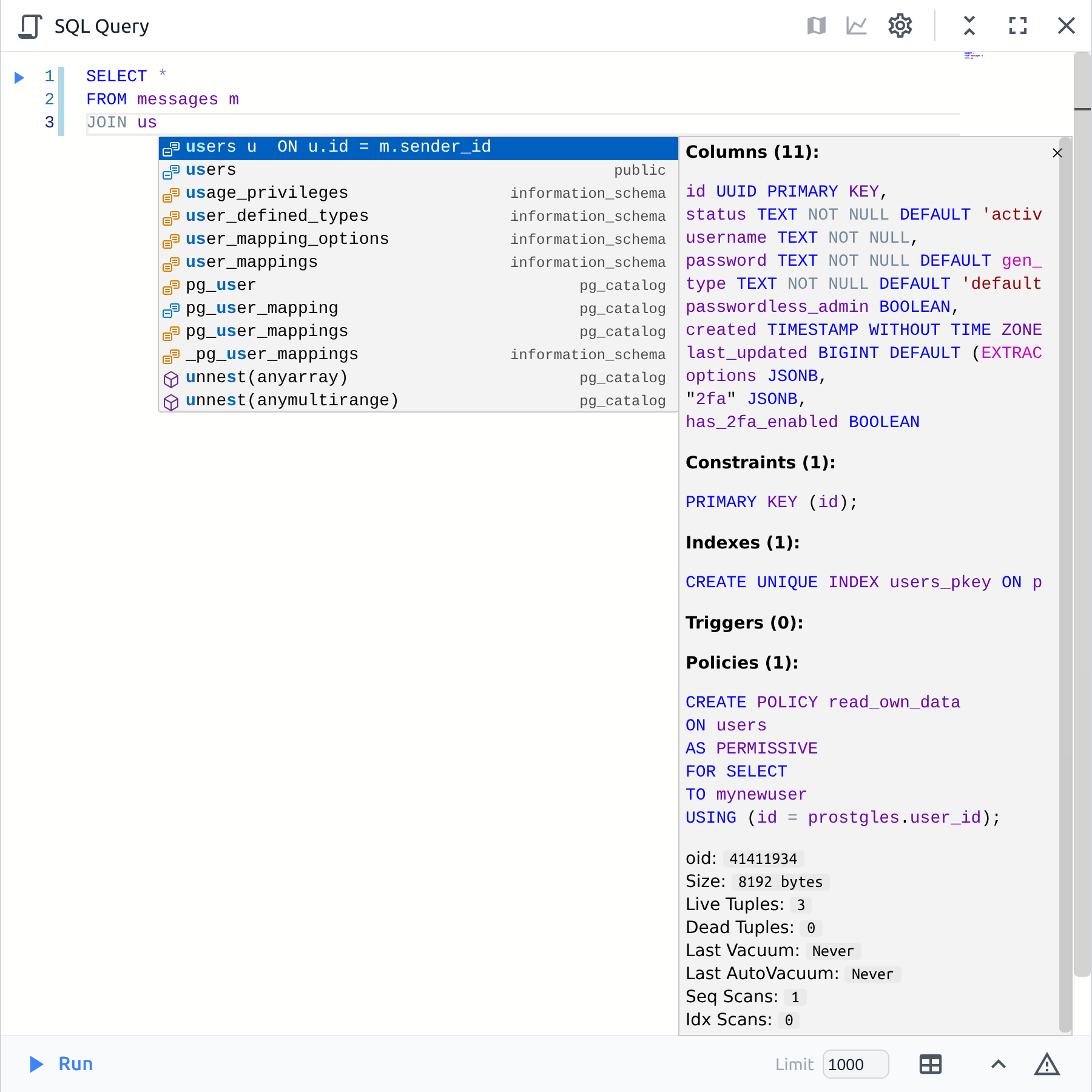
Schema, data and context-aware autocomplete suggestions that show a realtime view of the database objects. Powered by Monaco Editor, our SQL editor allows you to edit code more efficiently. Move blocks of code, use multi-cursors to manage selections, and other features.

Data table
Add columns from foreign-key relationships and show them inline, aggregate them, or render as sortable sparkline charts and bar cells.

Map
Visualize, create and edit PostGIS geometry/geography data. Cross filter related layers.

Timechart
Compare multiple measures and dimensions in one chart.

Dashboard
Arrange tables, forms, maps, and charts in a resizable drag-and-drop grid. Build compact focused workspaces or broad monitoring surfaces, and adjust layout density to match the task.

Schema Diagram
Interactive exploration of your schema with zoom, pan, and search capabilities. Table and schema filtering to focus on specific parts of your database. Several color modes to visualize different aspects of your schema.

Backup and Restore
Manual and automatic backups can be initiated through a couple of clicks. Stored locally or on any AWS S3 compatible storage provider